

Einrichten von IPTV auf dem Fire TV Stick
1: Fahren Sie mit dem Mauszeiger über die Option „Suchen“ auf dem Startbildschirm Ihres Geräts.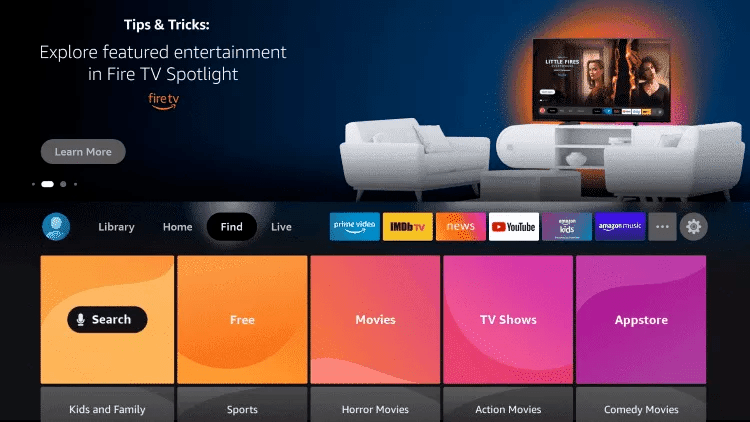
2. Klicken Sie auf Suchen.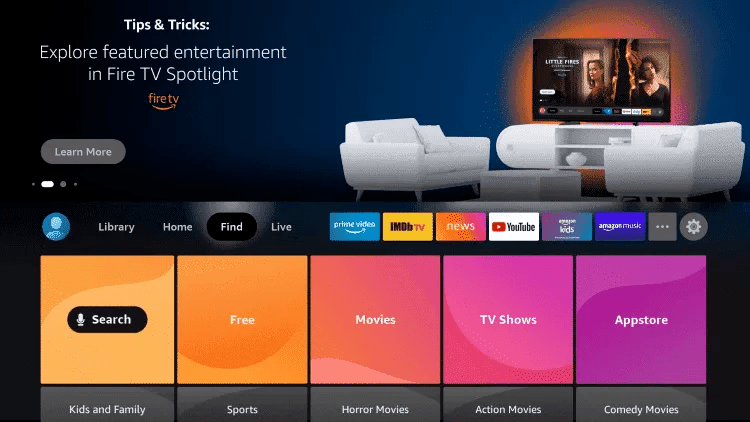
3. Suchen und wählen Sie Downloader.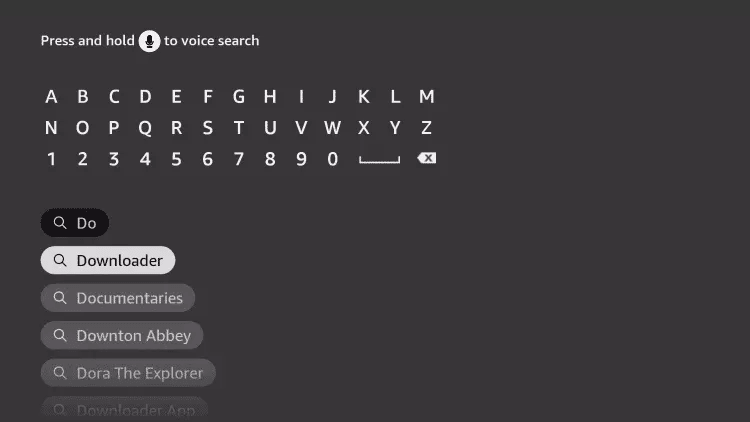
4. Wählen Sie die Downloader-App.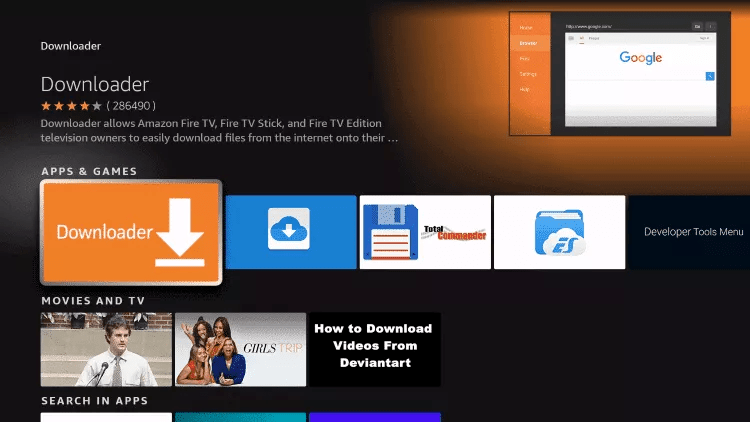
5. Klicken Sie auf Herunterladen.
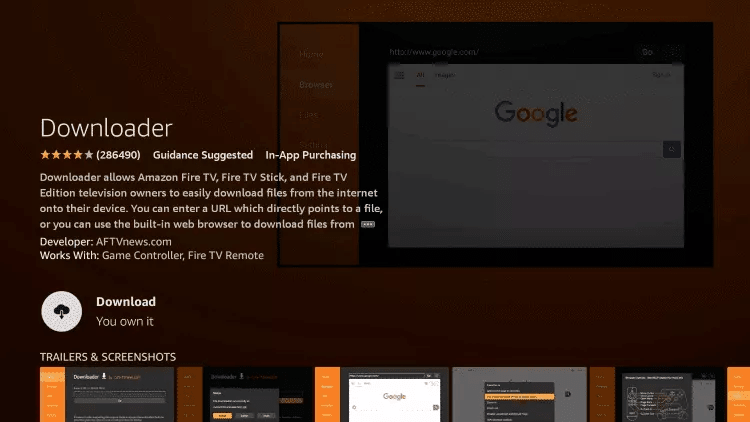
6. Klicken Sie nach Abschluss der Installation der App auf „Öffnen“.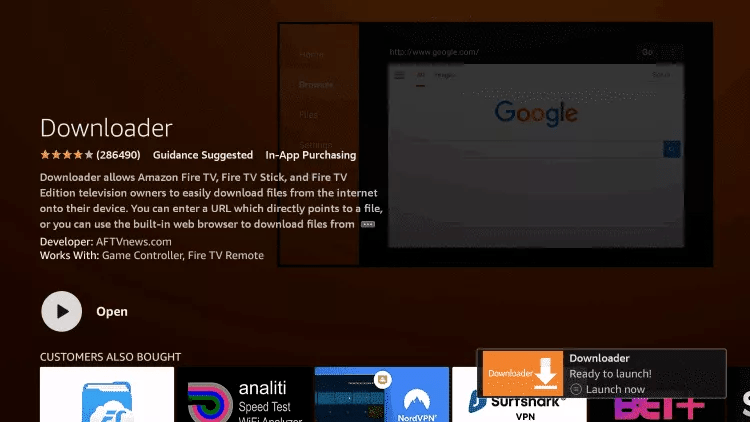
7. Gehen Sie zurück zum Startbildschirm und öffnen Sie Einstellungen.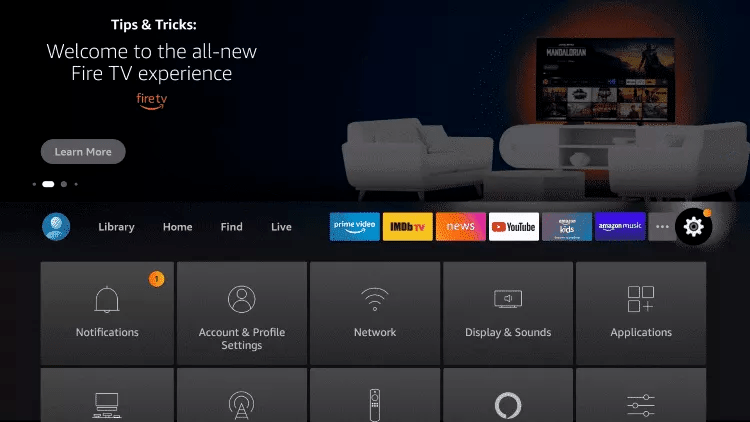
8. Klicken Sie auf „Mein Fire TV“.
9. Wählen Sie Entwickleroptionen.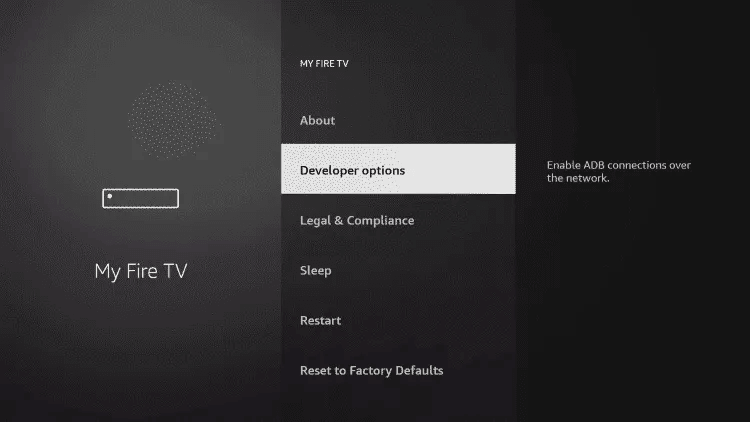
10. Klicken Sie auf „Unbekannte Apps installieren“.
11. Suchen Sie die Downloader-App und klicken Sie darauf.
12. Dies schaltet die Option „Unbekannte Quellen“ für die Downloader-App ein. Dies ermöglicht das Seitenladen auf Ihrem Gerät.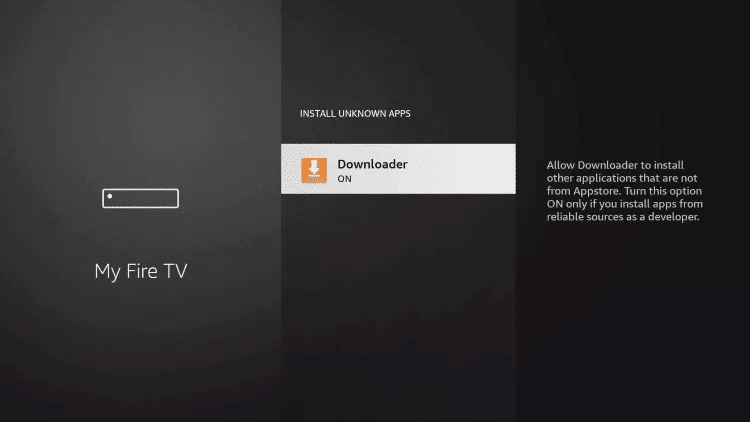
13. Starten Sie Downloader.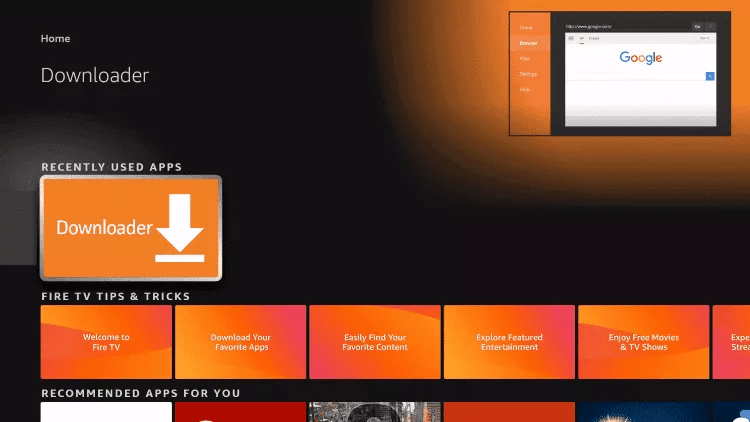
14. Klicken Sie auf „Erlauben“.
15. Klicken Sie auf OK.
16. Geben Sie die folgende URL genau so ein, wie sie hier angezeigt wird: https://www.iptvsmarters.com/smarters.apk
und klicken Sie auf „Gehen“.

17. Warten Sie, bis die Datei heruntergeladen wurde.
18. Klicken Sie auf Installieren.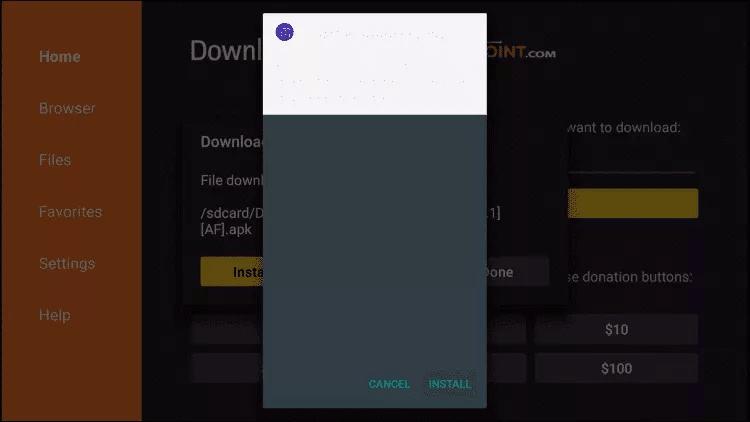
19. Klicken Sie auf Fertig.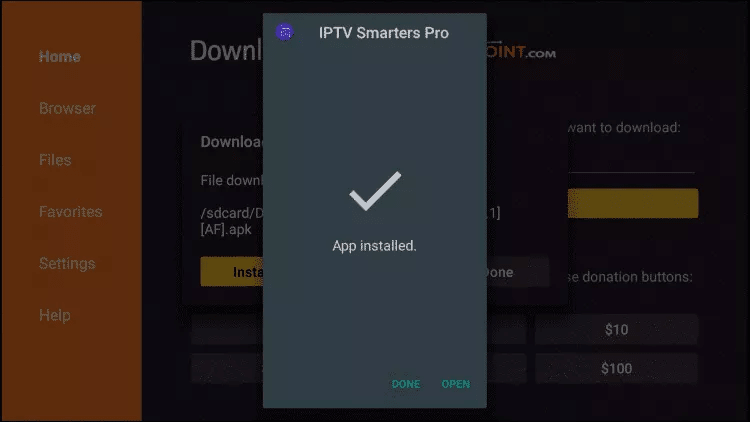
20. Öffnen Sie IPTV smarters und wählen Sie Anmelden mit Xtream-Codes-API.
21. Geben Sie die Anmeldedaten ein, die wir Ihnen per WhatsApp oder E-Mail oder Chat gesendet haben
FÜR TIVIMATE
1. Geben Sie die folgende URL genau so ein, wie sie hier angezeigt wird: https://tivimates.com/tiviapk
und klicken Sie auf „Gehen“.

2. Warten Sie, bis die Datei heruntergeladen wurde.
Warten Sie, bis der Dateidownload abgeschlossen ist
3. Klicken Sie auf Installieren und sobald die Installation abgeschlossen ist, können Sie die App öffnen.
4. Klicken Sie auf „Playlist hinzufügen“ und wählen Sie „Xtream-Codes“ aus
5. Geben Sie die Anmeldedaten ein, die wir Ihnen per WhatsApp oder E-Mail oder Chat gesendet haben
How to setup IPTV on TIVIMATE
1. Type the following URL exactly as shown here: https://tivimates.com/tiviapk
and click Go.
2. Wait for file to download.
Wait for the file download to finish
3. Click Install and once the installation is completed. You can open the app.
4. Click “Add Playlist” then choose “Xtream codes“
5. Enter the login details that we sent you via Whatsapp or Email or Chat
How to setup IPTV on Android with IPTV Smarters Player
Step 1: Start by downloading IPTV Smarters app through this URL : https://www.iptvsmarters.com/smarters.apk
Step 2: Open the app once downloaded and Enter the login details.

Step 3: Enter the login details that we have provided you after you get a subscription with us
Now Click on “ADD USER” to proceed to the next section.
Step 4: Wait some seconds.
Step 5: Now click on “Live TV” icon as depicted in the image via a red arrow.
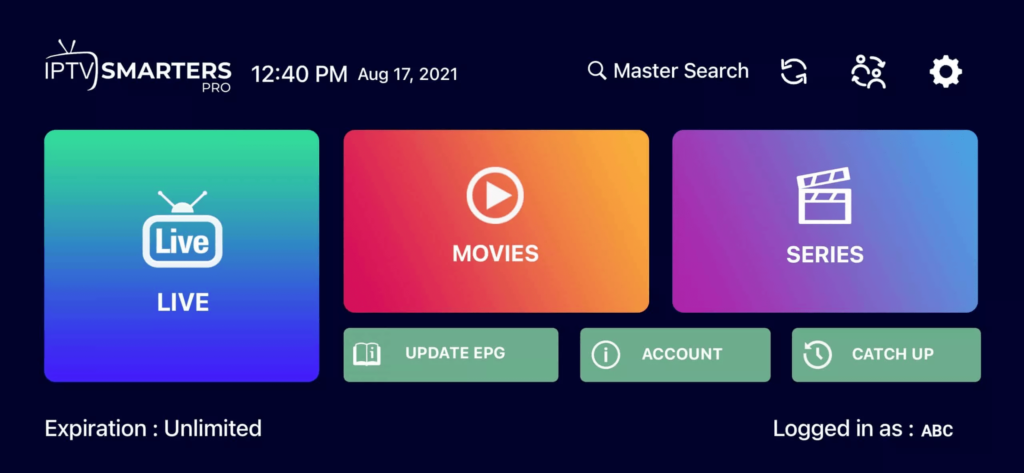
Step 6: Now you must select the channel group that you want to watch and proceed to the next section.
Step 7: Now you must click on the channel name and then double click on the small screen to turn into full screen as the final step.
Done
How To Setup IPTV On Apple/IOS With IPTV Smarters Player
Step 1: Start by downloading IPTV Smarters app from the Apple Store through this URL :
https://apps.apple.com/in/app/smarters-player-lite/id1628995509
or you can search for it on App store
install the app on your IOS device.
Step 2: Open the app once downloaded and Enter the login details.
Step 3: Enter the login details that we have provided you after you get a subscription with us
Now Click on “ADD USER” to proceed to the next section.
Step 4: Wait some seconds.
Step 5: Now click on “Live TV” icon as depicted in the image via a red arrow.
Step 6: Now you must select the channel group that you want to watch and proceed to the next section.
Step 7: Now you must click on the channel name and then double click on the small screen to turn into full screen as the final step.
Step 8: To add EPG no need to add any EPG url, Just click on “Install EPG” .
Done
Far far away, behind the word mountains, far from the countries Vokalia and Consonantia, there live the blind texts. Separated they live in Bookmarksgrove right at the coast
Step 1: You can download SetIPTV / NetIPTV / Smart IPTV from your TV store on Samsung, LG …
Step 2: After the installation, open the app the you will find MAC Address on screen
EX :

Step 3: Send us the MAC address via Whatsapp/Email/Live Chat
Step 4: After few minutes, restart/reboot your TV and Open the app
Done
Windows Method :
Download IPTV Smarters app through this URL : https://www.iptvsmarters.com/download?download=windows
MAC Method :
Download IPTV Smarters app through this URL : https://www.iptvsmarters.com/download?download=mac
Step 1: Send us the MAC Address of your MAG via Whatsapp/Email/Live Chat
Step 2: After making the payment, we will send you the portal link